

『Flow Meter Pulse Counter Configuration: Programming Digital Totalizers for Precise Scaling』Related information(flow rotameter|digital flow meter|balo meter|hydraulic flow meter|volumetric meter|positive displacement meter|pitot tube flow meter|displacement meter|cfm meter|variable area flow meter|inline flow meter|differential pressure flow meter|calibrated flow meter|velocity meter|paddle wheel flow meter|oval gear flow meter|anemometer hvac|multiphase flow meter|doppler flow meter|thorpe tube flowmeter|heat flow meter)
Flow Meter Pulse Counter Configuration: Programming Digital Totalizers for Precise Scaling
Quick Answer: Flow meter pulse counter configuration starts with the K-factor from the meter calibration sheet. Program that pulse weight into the digital totalizer before connecting field wiring. Then verify the scaled total with a known volume or mass.
Why Pulse Scaling Goes Wrong on Site
A flow meter pulse output is only a raw frequency signal. Most flow meters send 0 to 10 kHz or a simple dry contact pulse. If the totalizer only counts raw pulses, the display means nothing to an operator. Scaling converts raw pulses into liters, cubic meters, gallons, kilograms, or barrels.
The most important value is the pulse weight. A calibration sheet may state 1 pulse equals 0.1 L. Some vendors call this value the K-factor. Other vendors specify pulses per liter. You must know which direction your totalizer expects. Entering the wrong direction causes a batch error of 10 times or more.
Pulse Input Types and Wiring
Digital totalizers accept several pulse input types: PNP, NPN, open collector, reed switch, and NAMUR. Match the totalizer input to the meter output card. Silver Instruments totalizers support switch inputs and high speed pulse inputs up to 10 kHz.
Noise on long cable runs can add false counts. Set a debounce value between 2 and 5 ms for reed switch and open collector signals. For high frequency vortex meter pulses, use shielded cable and keep the run shorter than 50 m. Twisted pair cable works well in most water and wastewater plants.
Configuring a Totalizer Step by Step
Step one: read the calibration sheet for the pulse weight or K-factor. Check the engineering unit. A DN100 electromagnetic flow meter may output one pulse per 100 L. An oval gear meter on diesel may output one pulse per 0.05 L.
Step two: set the totalizer division factor. If the meter sends one pulse per 0.1 L and the display must show cubic meters, set the totalizer to divide by 10,000. Most totalizers let you enter the pulse weight directly. Use the decimal point with care.
Step three: set the display unit and decimal places. A water batch total may show 12.850 m3. A fuel delivery total may show 950.0 L. Do not hide too many decimal places on small batch applications.
Step four: configure any relay output, batch preset, or retransmission. A common use is a relay output at a preset total. This controls a valve or pump in a cleaning skid or filling line.
Common Mistakes We See on Customer Sites
Most engineers skip this part. We have seen this on customer sites many times. A paint manufacturer in Southeast Asia had a solvent batching error of 3.2 L per 200 L batch. The oval gear flow meter was correct. The totalizer pulse weight was not. The calibration sheet said 0.05 L per pulse. The operator had entered 0.5 L per pulse. That single digit mistake caused off color and viscosity.
Last year a customer in Vietnam asked us why a turbine meter total was drifting. The pulse input was wired to a 24 V PLC input but the meter ha
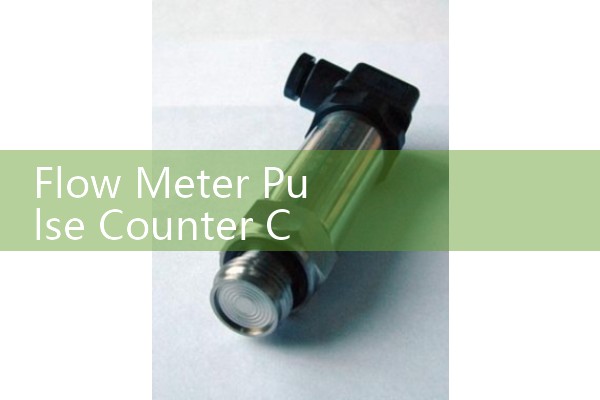
Recommended Silver Instruments Flow Meters with Pulse Output
Silver Automation Instruments supplies electromagnetic flow meters, vortex flow meters, oval gear flow meters, and thermal mass flow meters. Many models can output a configurable pulse signal. For example, a DN50 electromagnetic flow meter can be set to 0.01 cubic meter per pulse. A DN15 oval gear meter for diesel can be set to 0.02 L per pulse.
Our digital totalizers and paperless recorders accept pulse inputs alongside 4-20 mA signals. This is useful for water plants that need total flow plus pressure and temperature on one screen.
Verifying the Scaled Total
Run a known volume through the meter before starting production. Use a calibrated tank or weigh scale. Compare the totalizer reading to the reference. A typical acceptance error is 0.5 percent for clean water and 1.0 percent for viscous fluid. If the error is constant across two runs, check the pulse weight. If the error changes with flow rate, check the input wiring and debounce.
FAQ on Flow Meter Pulse Counter Configuration
Q: What is a K-factor in a flow meter pulse output?
A: A K-factor is the number of pulses per engineering unit. It can be listed as pulses per liter, pulses per gallon, or pulses per kilogram. The totalizer uses this value to scale raw counts.
Q: How do I set pulse width for a digital totalizer?
A: Set the pulse width longer than the totalizer minimum input width. A 2 ms pulse is common for high speed totalizers. For PLC inputs, 10 to 50 ms is often more reliable.
Q: Can a PLC counter replace a flow totalizer?
A: Yes, if the PLC input can capture the pulse rate and count without dropping pulses. For simple batch control, a dedicated totalizer is often faster to configure and easier for operators.
Q: What pulse output types work with Silver Instruments totalizers?
A: PNP, NPN, open collector, reed switch, and NAMUR signals are supported. State the output type and frequency range when you request a quotation.
Q: How do I get a quote for a flow meter with pulse output?
A: Send us your fluid, viscosity, pressure, temperature, pipe size (DN), and flow range. We will recommend a meter and totalizer pair with the correct scaling already documented.
Contact Silver Automation Instruments
Email us your process data and we will return a meter plus totalizer configuration. Send us your flow range in kg/h or m3/h, pressure (bar), temperature (°C), pipe size (DN), and fluid viscosity in cP. For immediate support, call or message our sales engineers.
Tel: +86-25-68650347
WhatsApp: +86-25-52155837
WeChat: +86 15365082610
Silver Automation Instruments serves water and wastewater, oil and gas, chemical, food and beverage, and marine users in Southeast Asia, Oceania, Latin America, Africa, and the Middle East.
 Hot News
 Related AD